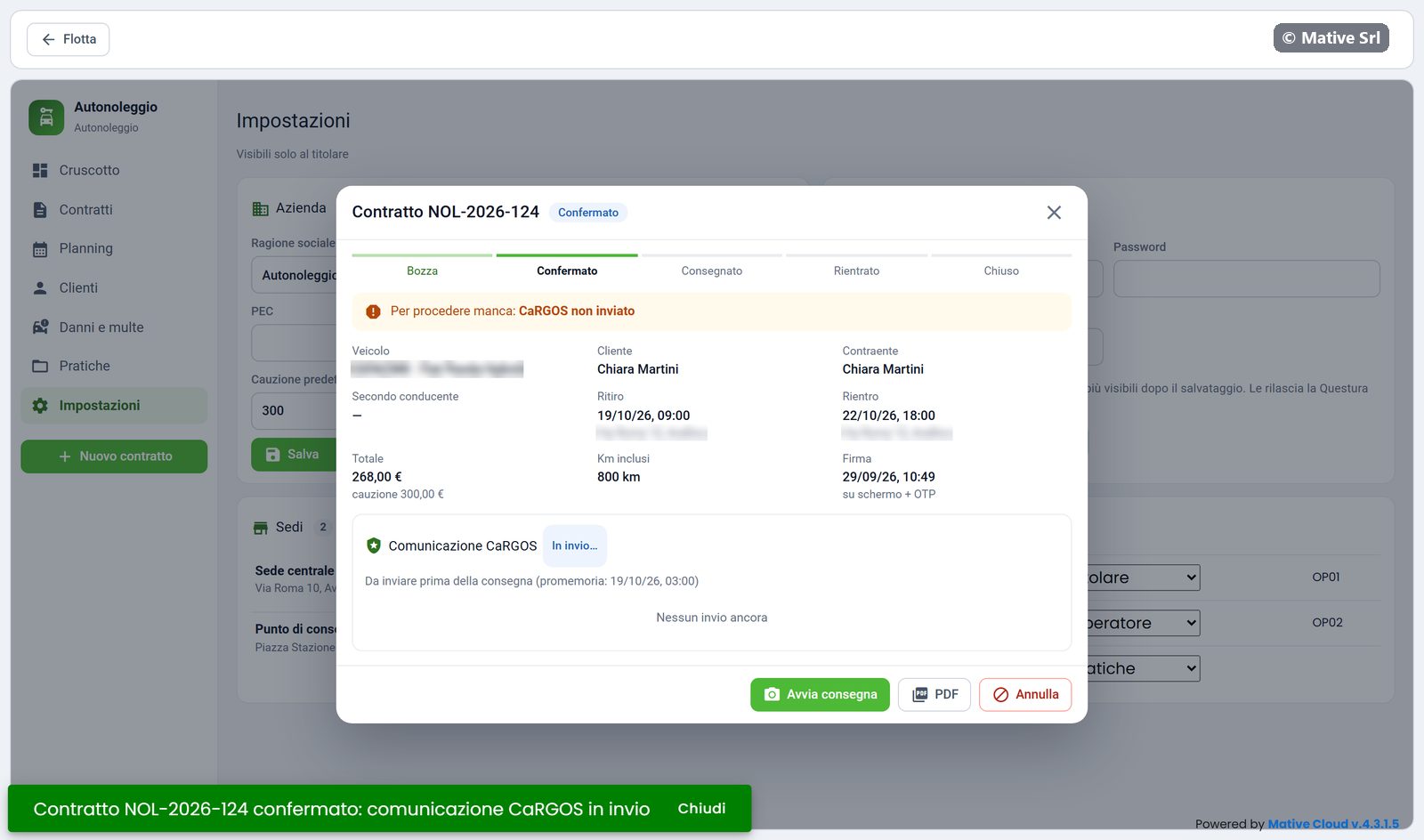
New contract
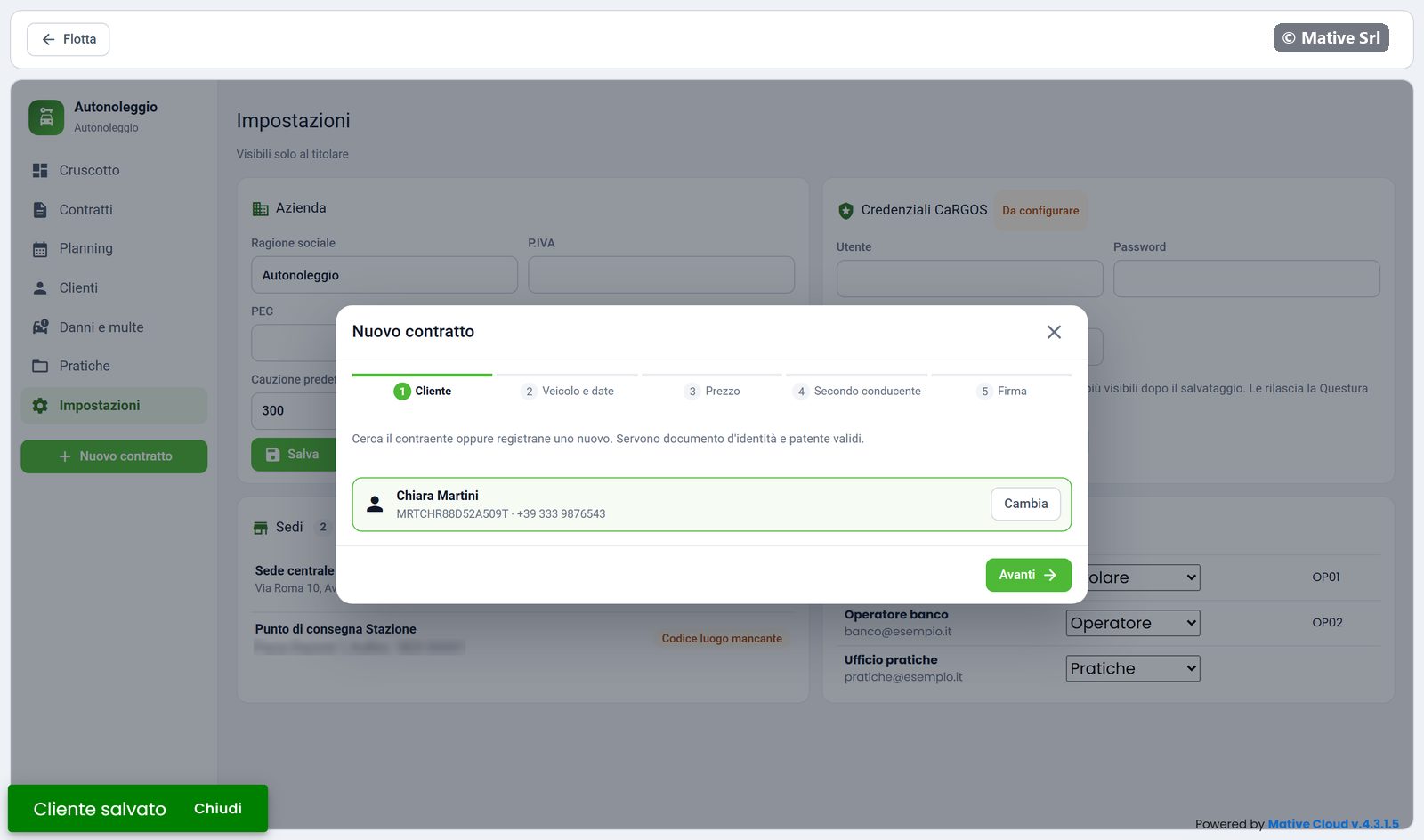
Nuovo contratto (new contract) opens a guided window in five steps. The steps you have completed turn green; Indietro (back) goes to the previous step.
1. Customer
Search the contracting party by name or tax code. If it is a new customer, click Nuovo cliente (new customer) and fill in:
- first name, last name, date and place of birth, tax code, phone, email, residence;
- identity document: type (Carta d'identità or Passaporto), number and expiry;
- driving licence: number, expiry and category;
- the privacy consent checkbox.
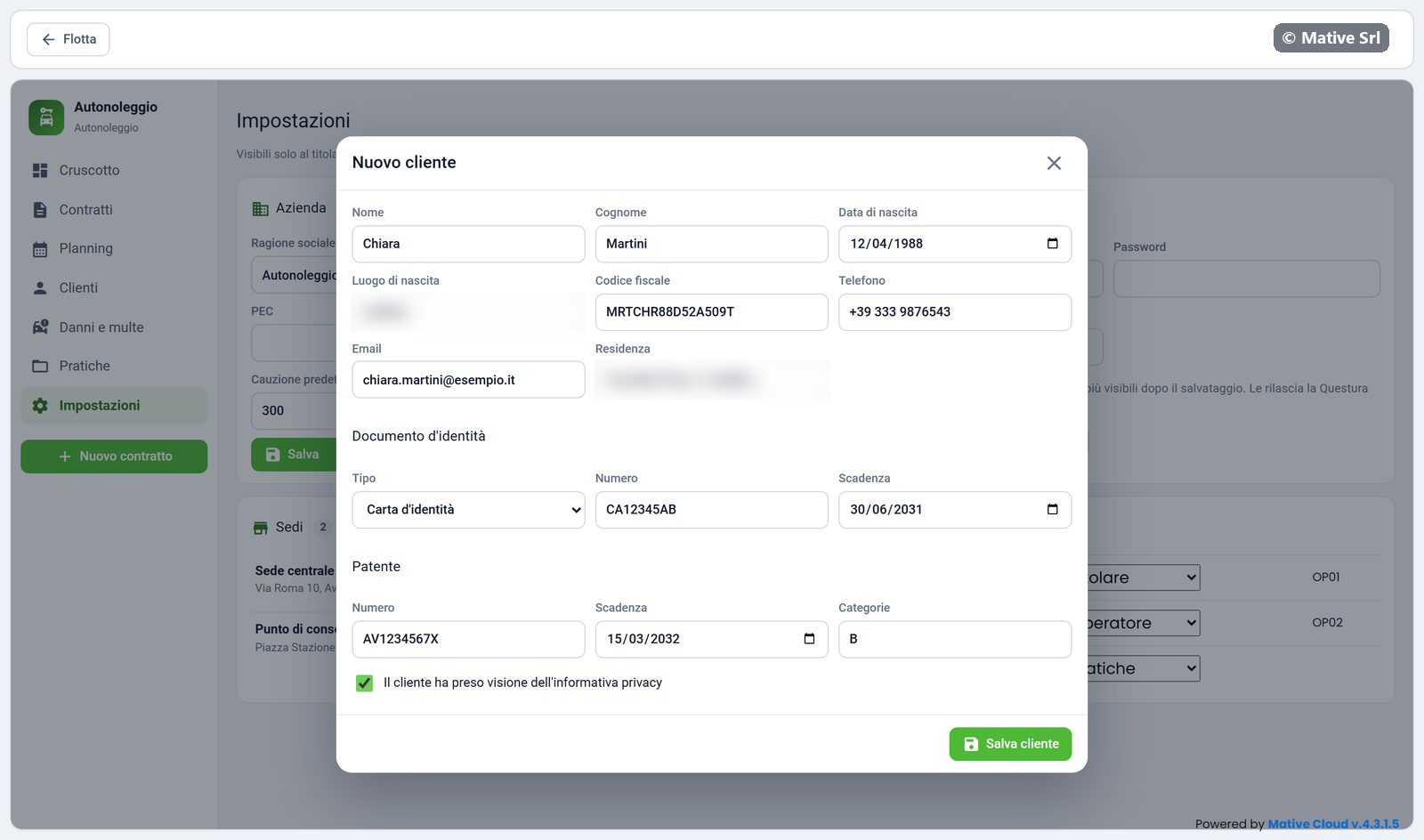
A valid identity document and driving licence are needed. After Salva (save), the window returns to step 1 with the customer selected.
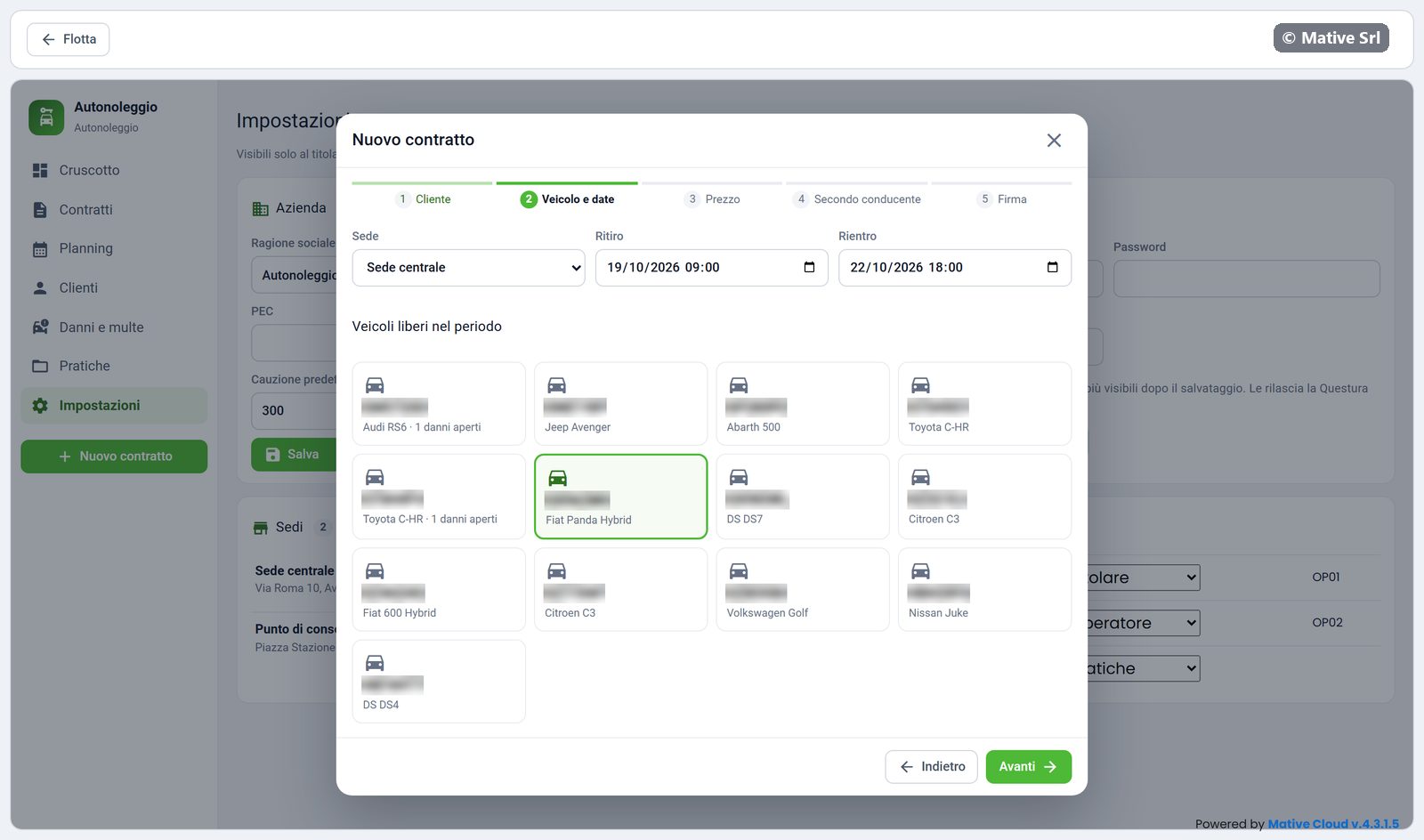
2. Vehicle and dates
Choose the branch (Sede), the pick-up (Ritiro) and return (Rientro) date and time. The list shows only the vehicles free in that period, with any open damage. Click a vehicle to select it.
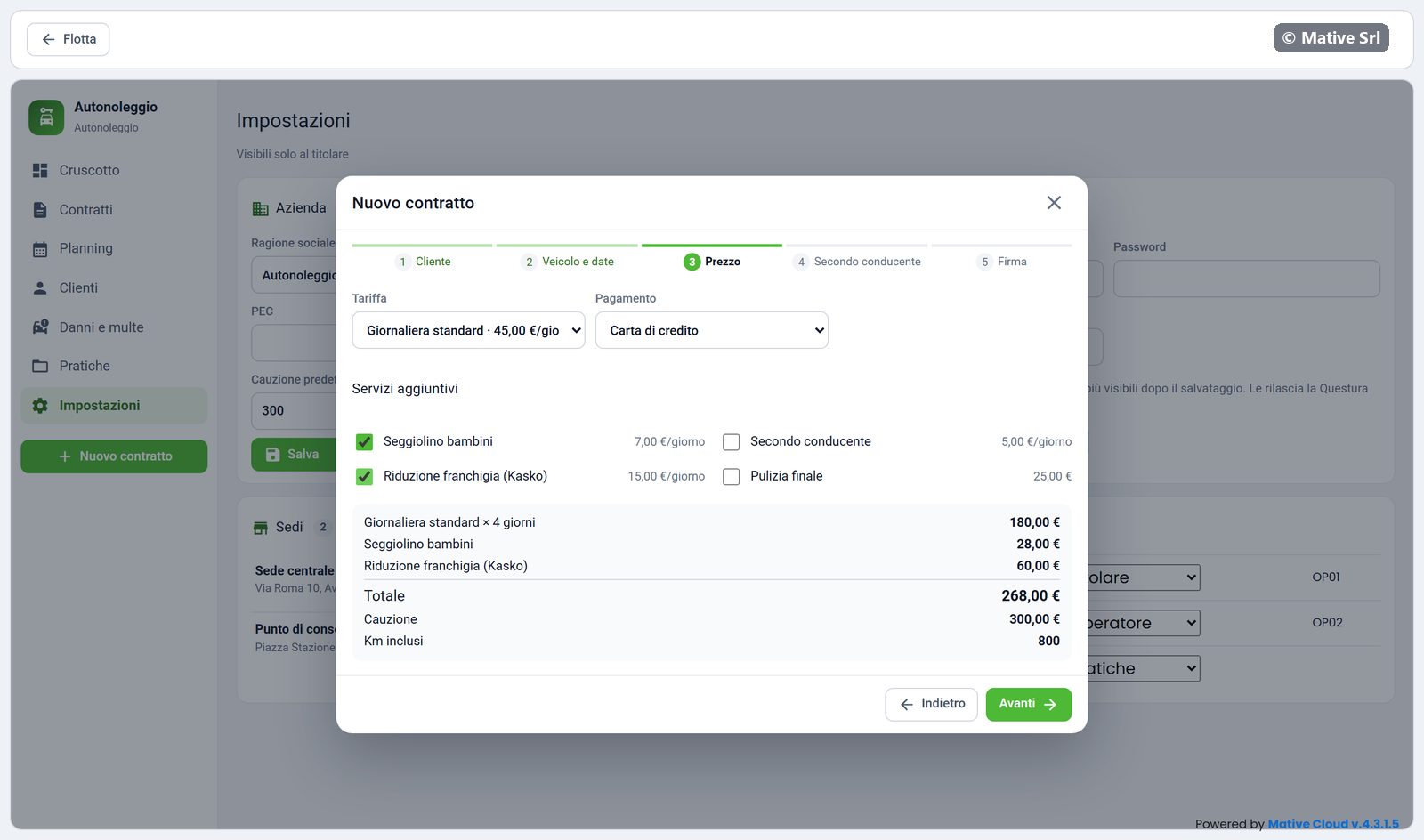
3. Price
Choose the rate (Tariffa) and the payment method, then the extra services (for example child seat or excess reduction). The box on the right updates the total, the deposit (Cauzione) and the included km.
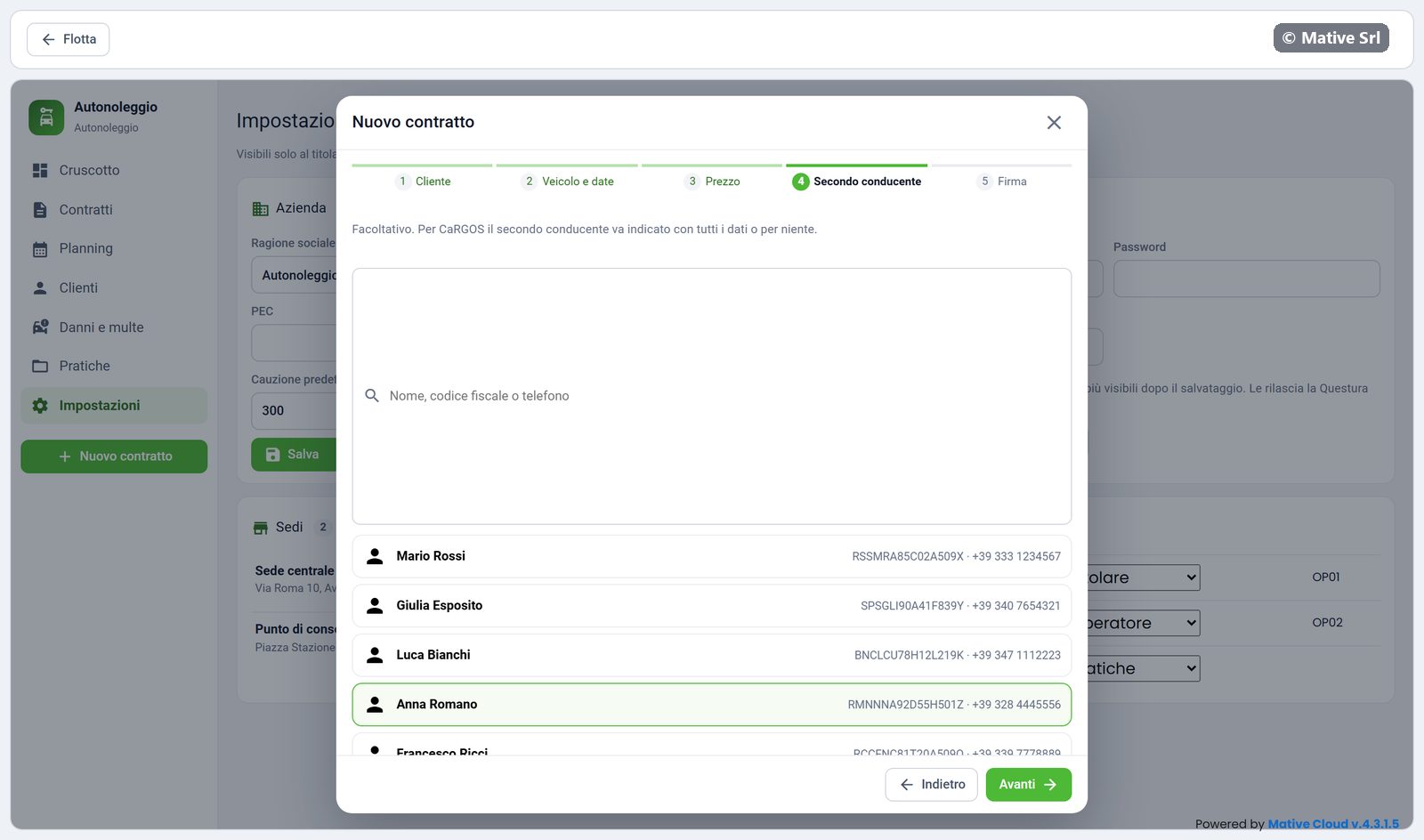
4. Second driver
Add a second driver if there is one. You can leave it empty.
5. Signature
The step shows the summary of the contract. To sign:
- click Invia OTP al cliente (send OTP to the customer): the customer receives a code;
- write the code in Codice OTP;
- tick the approval of the unfair terms (clausole vessatorie, articles 1341–1342 of the Italian Civil Code);
- have the customer sign in the box. Cancella firma clears it.
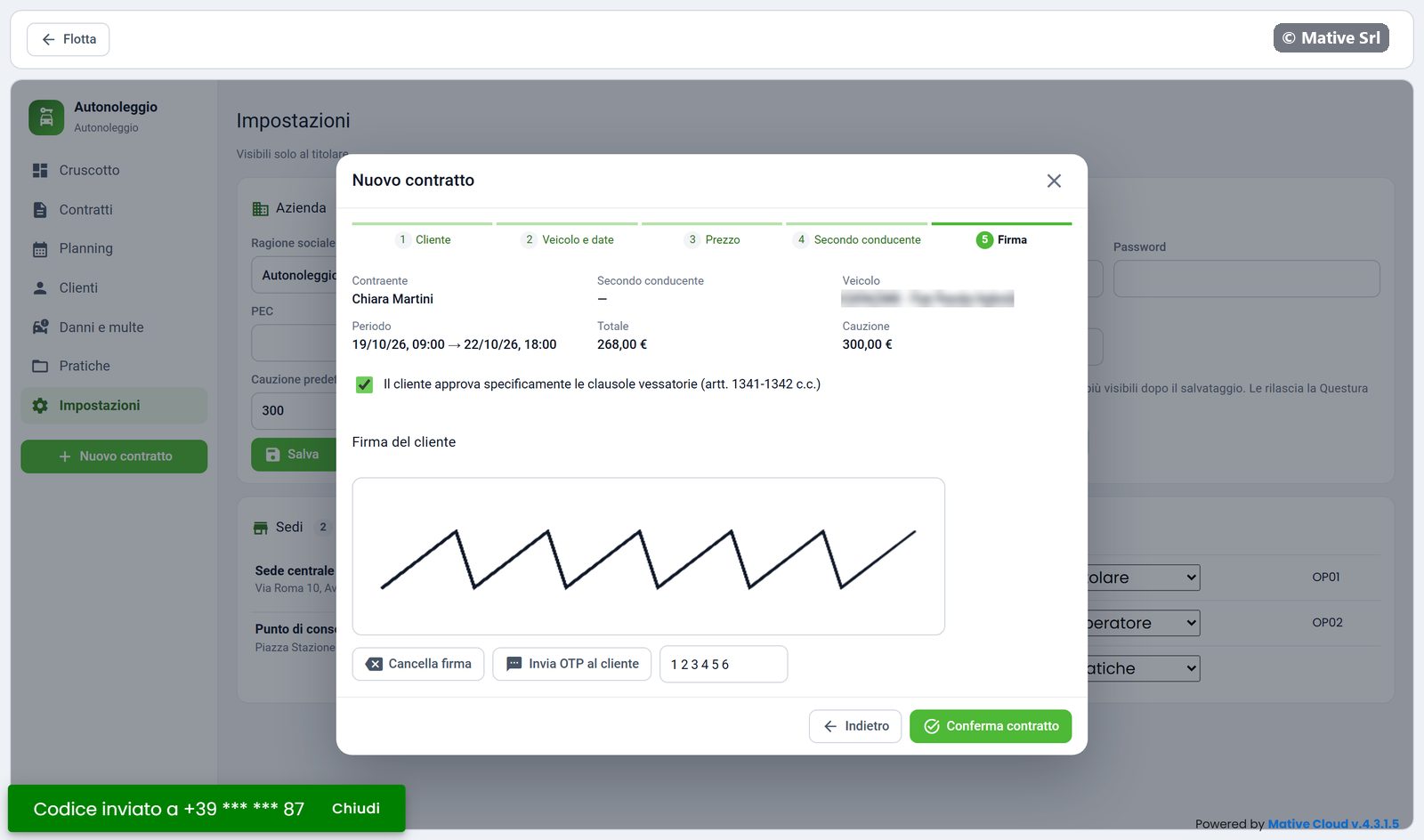
Click Conferma contratto (confirm contract). If data is missing, a window lists what is missing and the contract stays a draft.
After confirmation
The contract gets its number and the Confermato status. The CaRGOS communication starts automatically: the box shows In invio… and, after a few seconds, Inviata.